What a Debt Spreadsheet Template Should Actually Do
Many debt spreadsheets look helpful because they have lots of columns, colors, and formulas. But a useful debt payoff spreadsheet does three practical jobs. It shows where you stand today, what payment you are aiming for next, and whether you are still on track after real life gets messy.
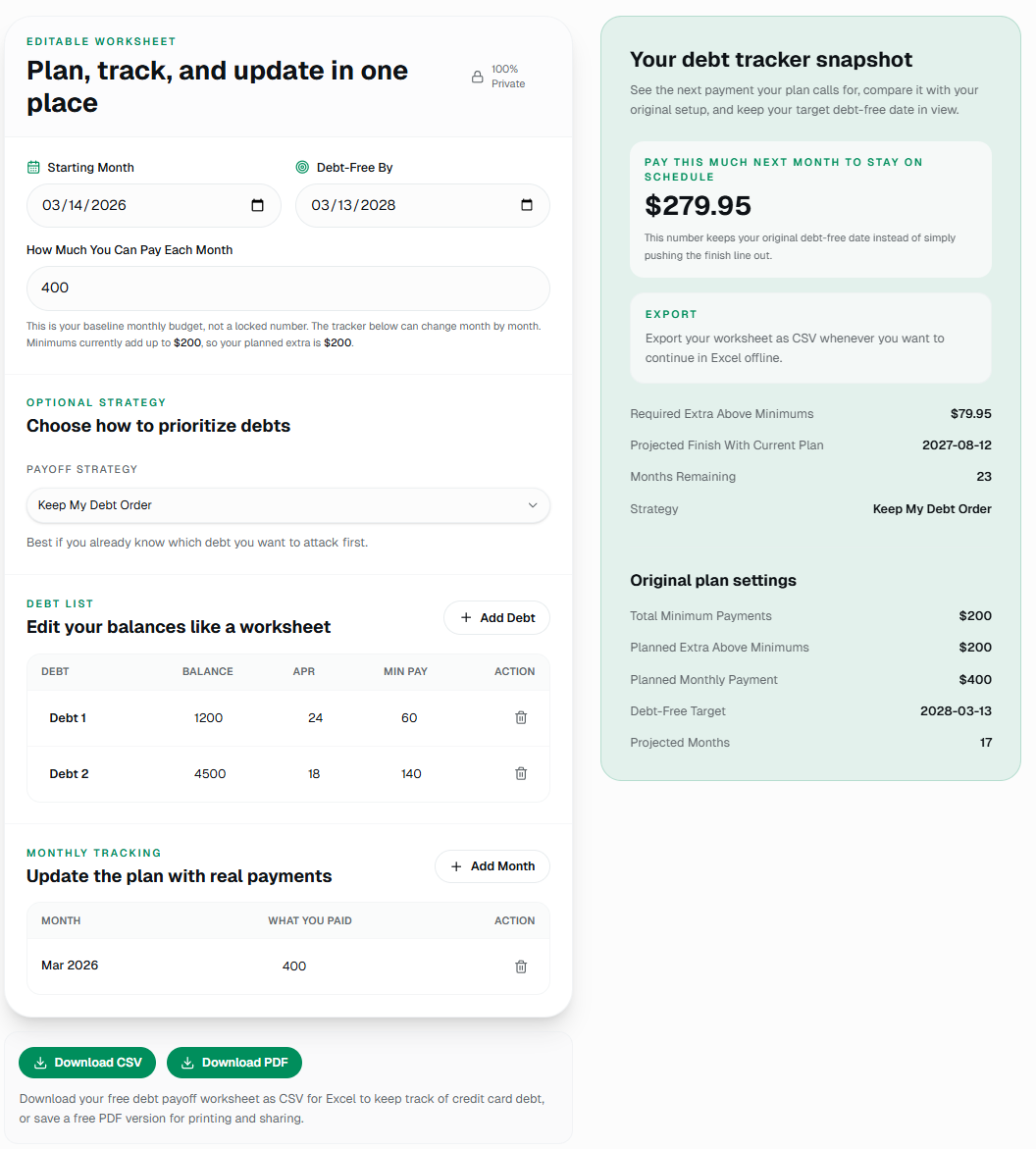
That is why the best debt spreadsheet template is usually simpler than people expect. You do not need dozens of tabs. You need a clear list of balances, APR, minimum payments, a target debt-free date, and a place to log what you actually paid.
In other words, a debt repayment spreadsheet should help you decide what to pay next, not just archive numbers you never look at again.
A spreadsheet is useful when it helps you make the next payment decision, not when it impresses you with formatting.
The Core Fields to Include
Field 1
Debt name and current balance
List each card or loan separately so you can see what is open, what is shrinking, and which balance should get your extra payment.
Field 2
APR and minimum payment
These two numbers tell you whether you should focus on math, motivation, or simply keeping the plan affordable.
Field 3
Monthly amount you actually paid
A good debt spreadsheet is not just a plan. It is also a tracker that shows what happened in real life each month.
How to Build a Debt Payoff Spreadsheet That You Will Actually Use
If this article is going to be useful, it should do more than say "use a template." Here is the simplest way to build a debt payoff spreadsheet that still helps you make real payment decisions.
Step 1
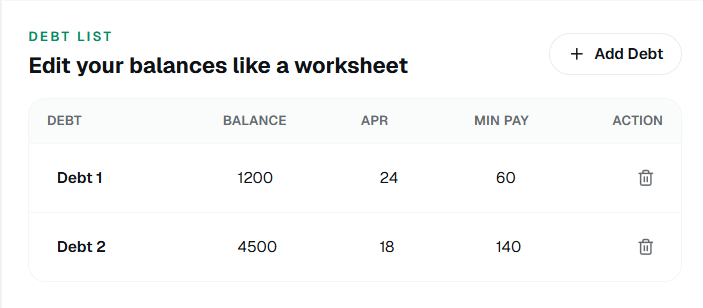
List every debt on one screen
Start with the debt name, current balance, APR, and minimum payment for each account. The goal is to make the sheet useful in one glance, not to build a workbook with hidden tabs you never open.
Step 2
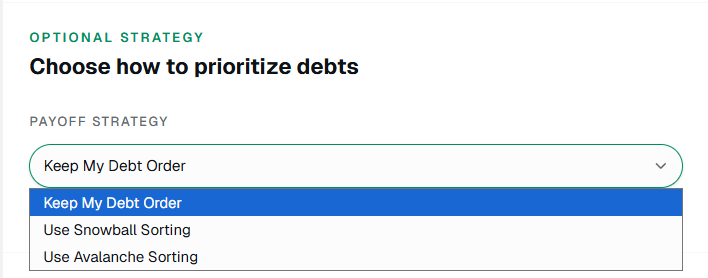
Pick the payoff order and monthly budget
Decide whether you want snowball, avalanche, or your own custom order, then write down how much you can really send each month. This is where a debt payoff calculator helps you test the math before you commit.
Step 3
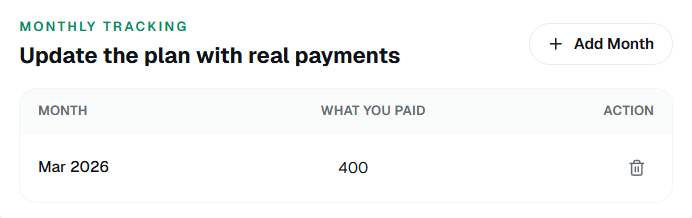
Add a monthly tracking row
This is the part most templates miss. Leave space for what you actually paid each month so the spreadsheet stays useful after real life changes the plan.
Step 4
Review and adjust after each payment cycle
At the end of the month, update balances, log the payment that happened, and see whether your target date still works. That is what turns a spreadsheet into a payoff tracker instead of a static file.
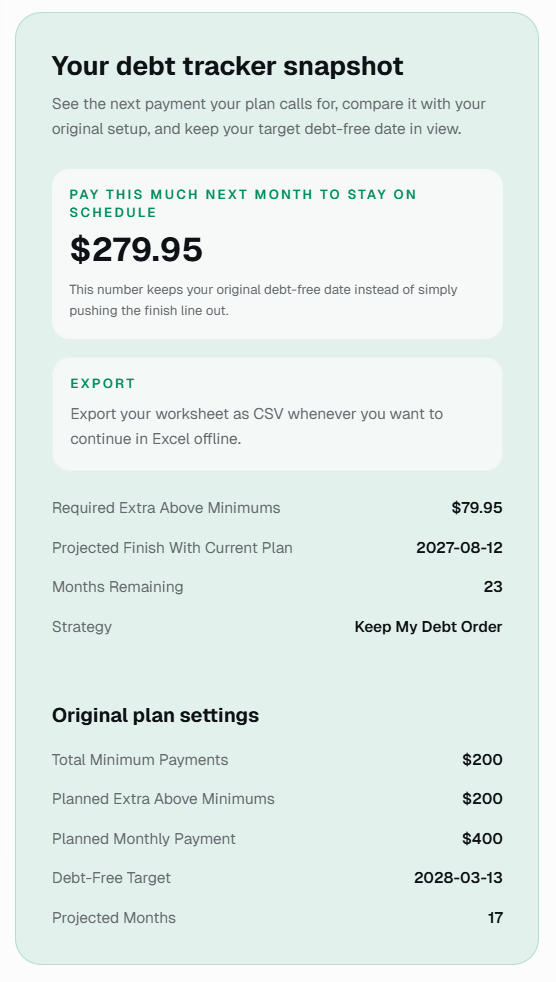
If you do not want to build that from scratch, you can start with our free debt spreadsheet and use the built-in tracker instead of creating the structure yourself.
Why People Want a Debt Spreadsheet They Can Keep in Excel or Download as PDF
Spreadsheet searchers are usually not asking for theory. They want something they can open, update, and trust. That is especially true with credit card debt, where balances, APRs, and monthly payments change over time.
Excel still works well for that because it feels familiar and easy to update offline. But people also want flexible export options. Some want CSV so they can keep editing the worksheet in Excel. Others want a clean PDF they can print, save, or share without exposing the editable sheet.

That is why people also search for terms like debt tracker spreadsheet, debt payment spreadsheet, and pay down debt spreadsheet. They are usually looking for the same thing: a worksheet that turns debt into a repeatable monthly process.
The Most Useful Upgrade: Track Real Payments
The biggest mistake in many free debt spreadsheet templates is treating the plan like it never changes. In reality, one month you pay extra. Another month you barely cover minimums. A good worksheet should absorb that and show you what payment you need next if you still want to keep your original timeline.
That is the difference between a static template and a debt payoff tracker you will still trust three months from now.
If you are comparing a free debt payoff spreadsheet with a more advanced tool, this is the feature gap that matters most.
Snowball, Avalanche, or Your Own Order?
A debt spreadsheet template should not force you into one method. Some people want the debt snowball method because quick wins help them stay engaged. Others want avalanche because high APR debt is costing too much. Others already know the order they want.
The best setup is a worksheet that lets you choose. That way the spreadsheet supports your decision instead of pretending there is only one correct payoff order.
Use a Template Only If You Will Keep Updating It
The best debt spreadsheet is not the one with the most formulas. It is the one you will still open after a short month, a missed extra payment, or an unexpected bill.
If you want a worksheet that already handles planning and real-payment tracking, start with our free debt payoff spreadsheet and update it month by month instead of rebuilding the structure yourself.
Open the spreadsheet toolIf You Need a Template, Start Simple
If you are building your own debt spreadsheet template, start with the smallest version that still helps you act. You can always add more later. Most people do better with a clean worksheet than with an overbuilt system they avoid opening.
If you would rather skip the setup work, use a debt spreadsheet that already includes the planning and tracking pieces. That saves time and keeps you focused on the monthly habit that matters most: making the next payment on purpose.
Debt Spreadsheet FAQ
What should a debt spreadsheet template include?
At minimum: debt name, current balance, APR, minimum payment, your target debt-free date, and a monthly tracking section. That gives the worksheet enough structure to work as both a debt payoff spreadsheet and a tracker.
Can I use Excel to keep track of credit card debt?
Yes. Excel works well for this if the sheet is simple enough that you will actually update it every month.
What is the difference between a debt spreadsheet and a debt payoff tracker?
A debt spreadsheet can just be a list. A debt payoff tracker helps you plan payments, log what happened, and adjust the next step when your month does not go exactly as planned.